
Author Dr Richard Medlicott
Medtech Evolution’s green “Generate and Print Prescription” button can make repeat prescribing far more efficient once a few key pharmacy, invoicing and payment settings are in place, writes Richard Medlicott
Apologies to those on other PMS systems. This month, I’m looking at an easy way to streamline the workflow for Evolution users. This might be one for practice managers to set up.
The promise of information technology has always been to make our lives more efficient; to get stuff done faster with less friction. By and large, it succeeds – and it would be pretty much impossible to manage a busy general practice without it. There are just too many processes to manage: appointments, results, prescribing, recalls, finances, etc. However, I know that IT sometimes seems like a false promise; we are forever interacting with the screen and keyboard rather than the person in front of us.
I was in a meeting recently with various clinicians and managers giving input into what would make life easier. One comment was, “Why does it take nine clicks to send a prescription from Medtech?”
My response was that it can seem like a fast track to RSI, but once you have things set up, it can be painless. As an aside, who remembers having to write out our scripts? How did we have any time for doing the consult? That’s probably the best incentive for reducing polypharmacy…
When I first looked at that green “Generate and Print Prescription” button in the consult screen and saw the plethora of options it opened, I recoiled and went back to using Rescript.
A few updates later, though, it’s worth another look. With the right setup, it can make the repeat-prescription workflow much more efficient.
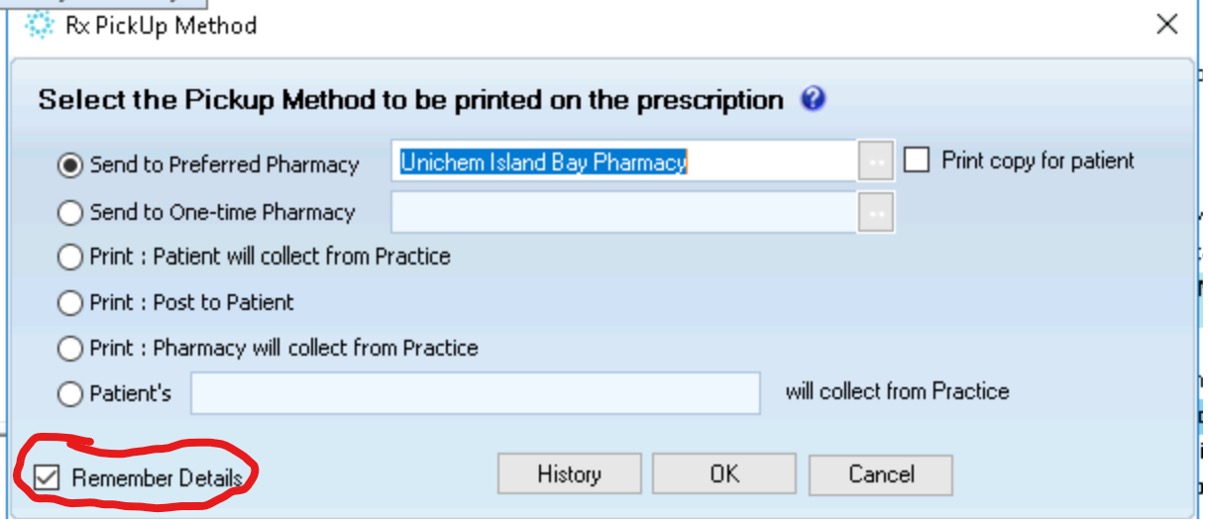
Recent updates have added preferred and one-time pharmacies. These may reduce how often you need to use the “Remember Details” box, but it remains useful for saving a patient’s usual pick-up method.
But, for now, the key is to set the “Remember Details” box. Once you have selected the preferred pharmacy and ticked “Remember Details”, Evolution retains that choice for the next prescription. That means the patient’s usual destination is already selected, rather than having to be re-entered each time.
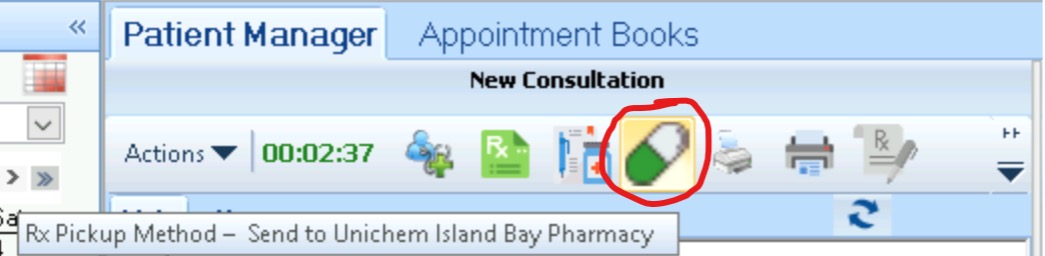
Already, I have selected “Preferred Pharmacy”. It has become solid green and white, and you can check by hovering:
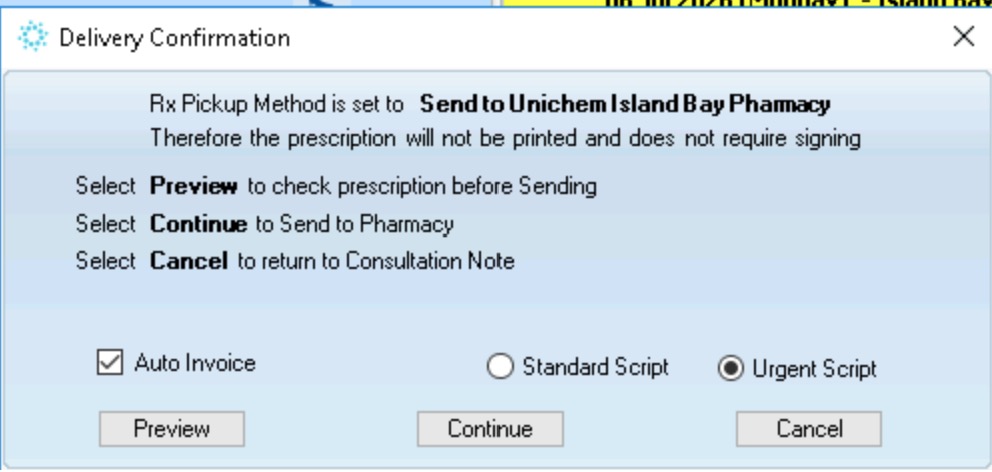
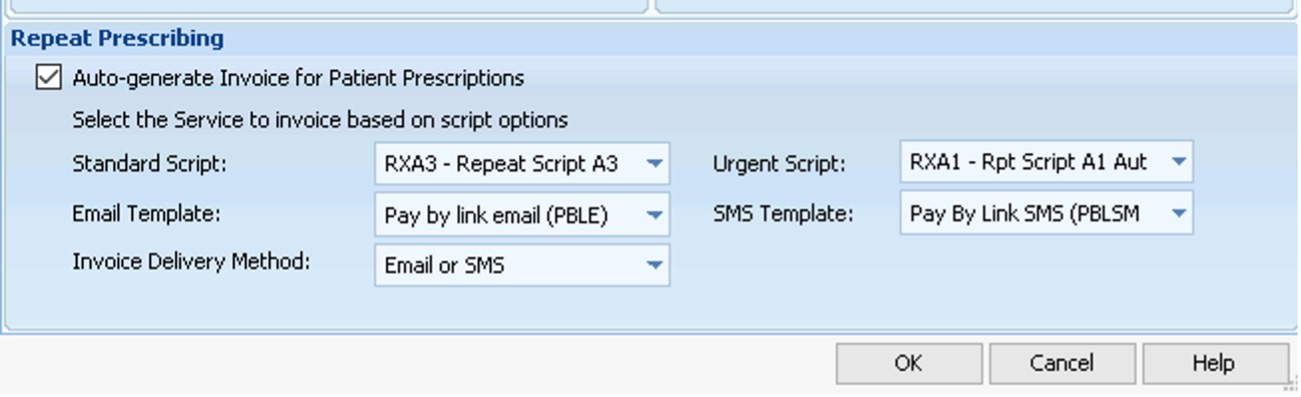
The next screen offers “To Invoice,” allowing the prescriber to choose either a standard or an urgent script fee. At our practice, those options are mapped to A3 and A1 repeat-script services.
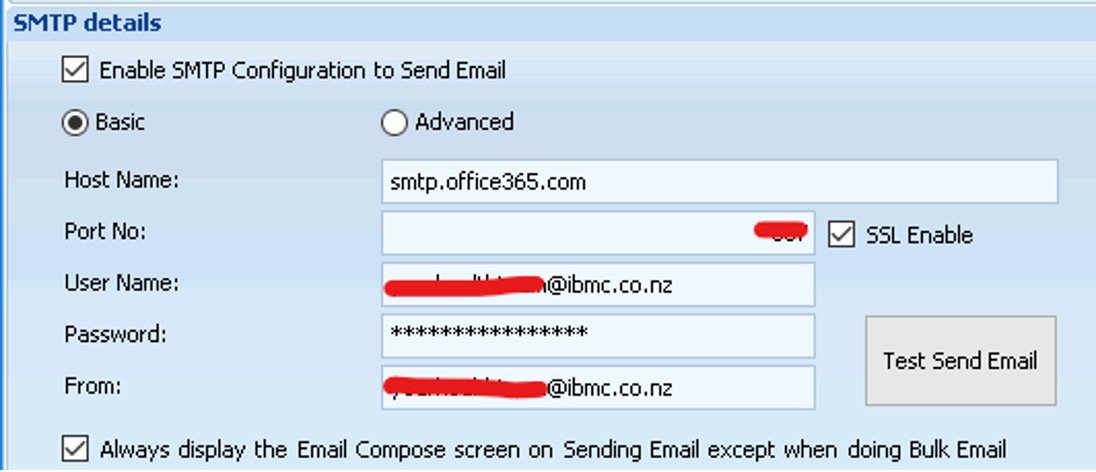
Using the internal Medtech email server means that all email is sent from the reception admin email address, not from individual work email addresses.
“Medeor paybylink” payment means the reconciliation is done automatically.
So, script request, generation, sending, invoicing and payment can all be done without any reception time and with just a few clicks by the prescriber. If the patient has already paid online via the practice portal, even fewer clicks are needed, as there’s no reason to send the invoice; it will apply any credit automatically.
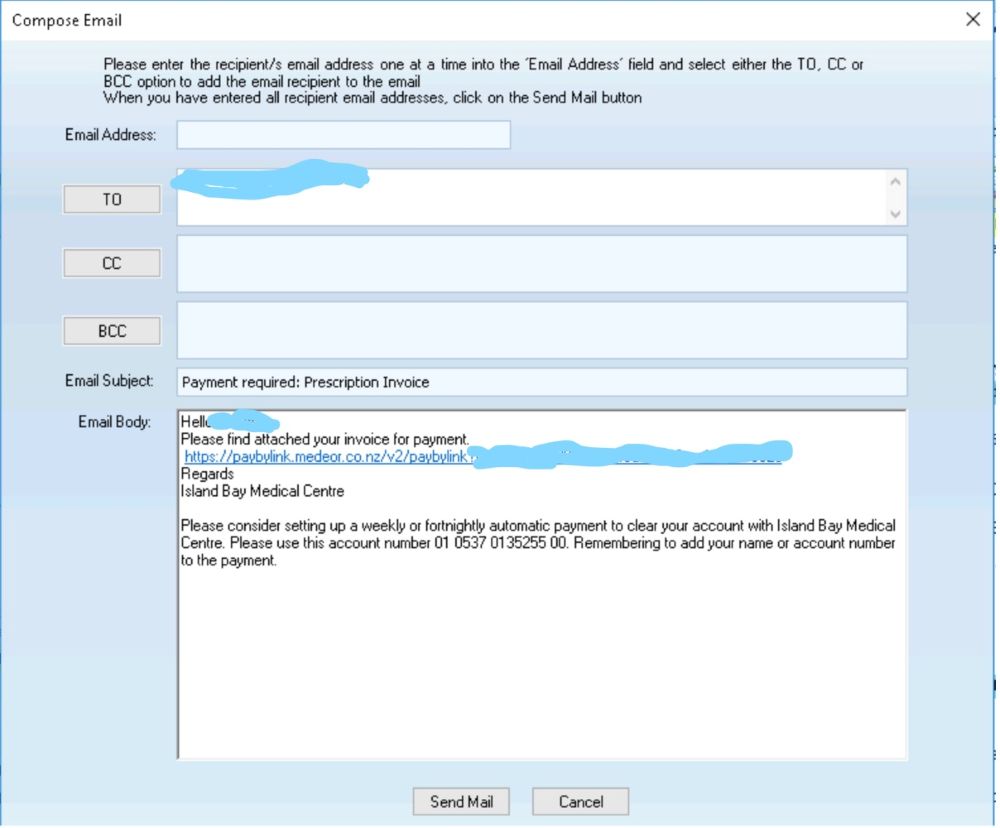
Prepaid via portal:

Extra tips
Evolution currently labels the invoice options “Standard” and “Urgent”. At our practice, we have mapped these to A3 and A1 repeat-script services, but it would be helpful to have more flexible labels and additional billing options.
The billing services, templates and delivery methods are configured in “Location Settings” > “Repeat Prescribing”.

The mail server setup is also in “Location Settings”:
All in all, this makes getting through my repeat-script requests much more efficient. But there are a couple of things Medtech could improve.
1) Now that there are “Send to Preferred Pharmacy” and “Send to One-Time Pharmacy” options, is the “Remember Details” button still needed?
2) More flexibility in invoicing, including the ability to name the options and add further billing choices.
Richard Medlicott is a specialist GP in Wellington and a long-time champion of good use of IT in healthcare.
Published by NZ Doctor
Link to the original article here: Evolution’s ‘green button’ and how to use it more effectively | New Zealand Doctor